Browser DLP for Google Workspace
Keep company data out of AI tools.
Your team pastes customer records, API keys and contracts into ChatGPT and other AI tools — usually just to get work done faster. Capsulla stops the sensitive part in Chrome before it is sent: it blocks it, masks it or warns the person, and logs what happened. You set it up once in Google Admin; nobody else installs anything.
- Set up in Google Admin
- •Private by design
- •14 days free, no card
Data slips out of a browser four ways. Capsulla covers all four.
Pasting
The API key about to go into a chat window stops there. You choose per rule: block it, mask it, or let it through and log it.
Typing
If someone can't paste it, they'll type it. The same rules catch it, and it shows up in the same log.
Uploads
A customer export dragged into a free online converter never leaves the laptop. The upload simply doesn't start.
Downloads
An installer from a site nobody knows is cancelled before it lands on anyone's computer.
You decide what counts as sensitive.
Capsulla starts with sensible defaults for card numbers, keys and risky files, so it protects from day one. Adapt it to your company in plain words: describe what you want to protect, and Generate with AI drafts the rule for you to approve. No regular expressions required.
Pasting and typing
Card numbers, API keys, customer records, your own internal IDs. Block it, warn the person, hide just the secret, or let it through and count it.
Uploads
Files that must not leave: database dumps, customer exports, source code, installers.
Downloads
Files that must not come in: programs, installers, disk images and scripts.
Trusted sites
Your own tools and the AI assistant you approved. Capsulla leaves them alone.
Running across your company in three steps.
- 01
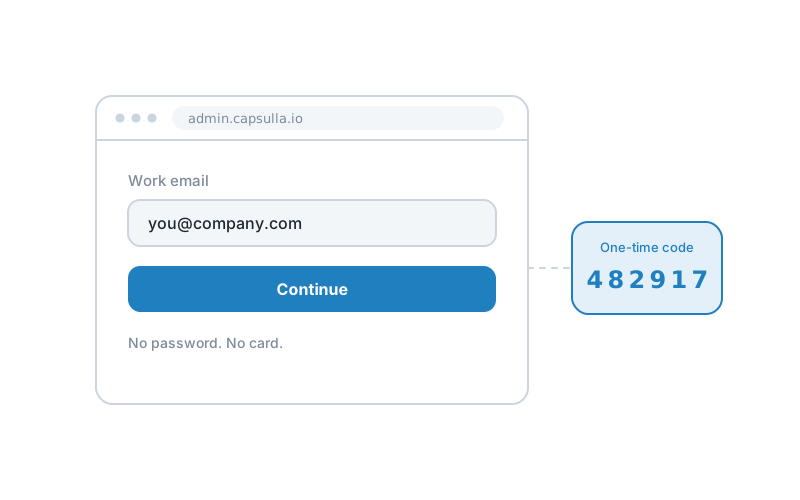
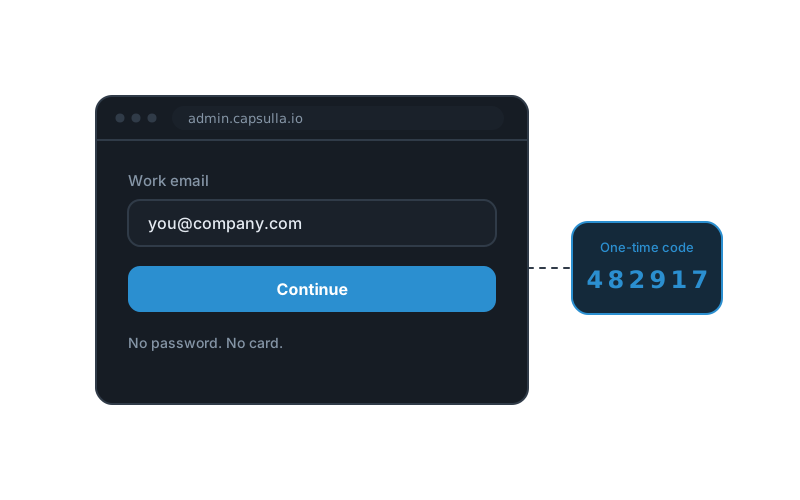
Create your account
Sign up with your work email. No credit card, nothing to install yet.
- 02
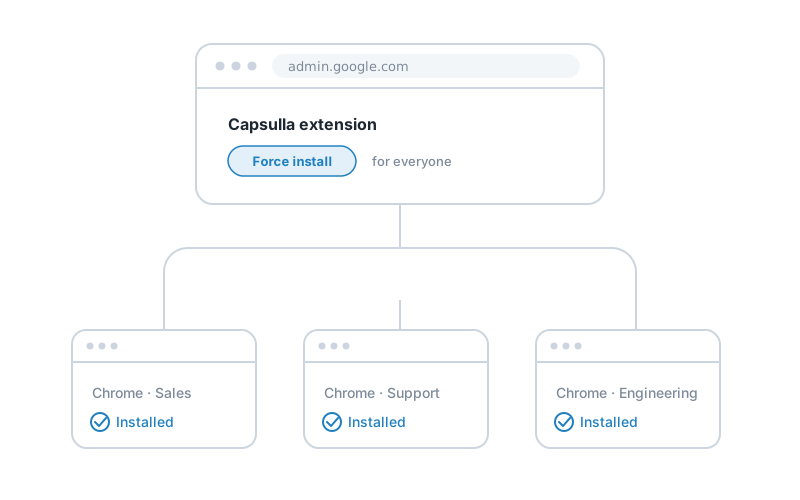
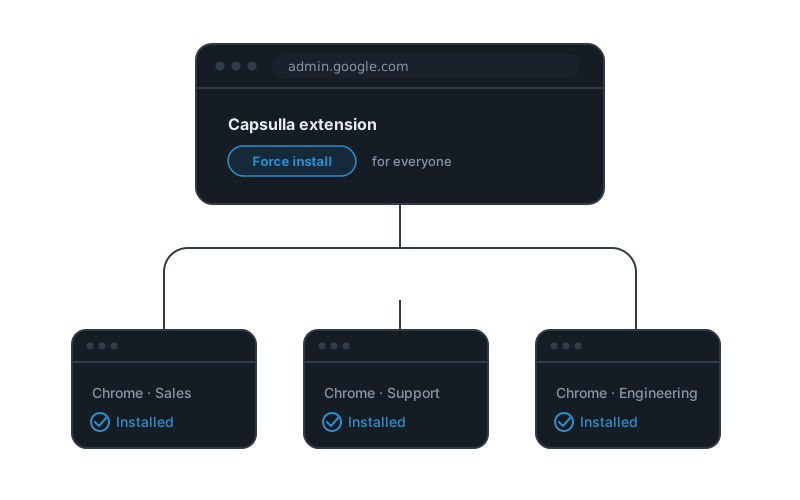
Roll it out from Google Admin
Add Capsulla for the teams you choose. It appears in their Chrome on its own — nobody installs anything, and nobody can remove it.
- 03
Turn on protection
Ready-made rules are on from the start. Change anything you like, and every browser picks it up within minutes.
![Three clipboard rules — [CARD] blocked, [AWS_KEY] warned, [EMAIL] masked.](/illustrations/step-3.svg)
![Three clipboard rules — [CARD] blocked, [AWS_KEY] warned, [EMAIL] masked.](/illustrations/step-3-dark.svg)
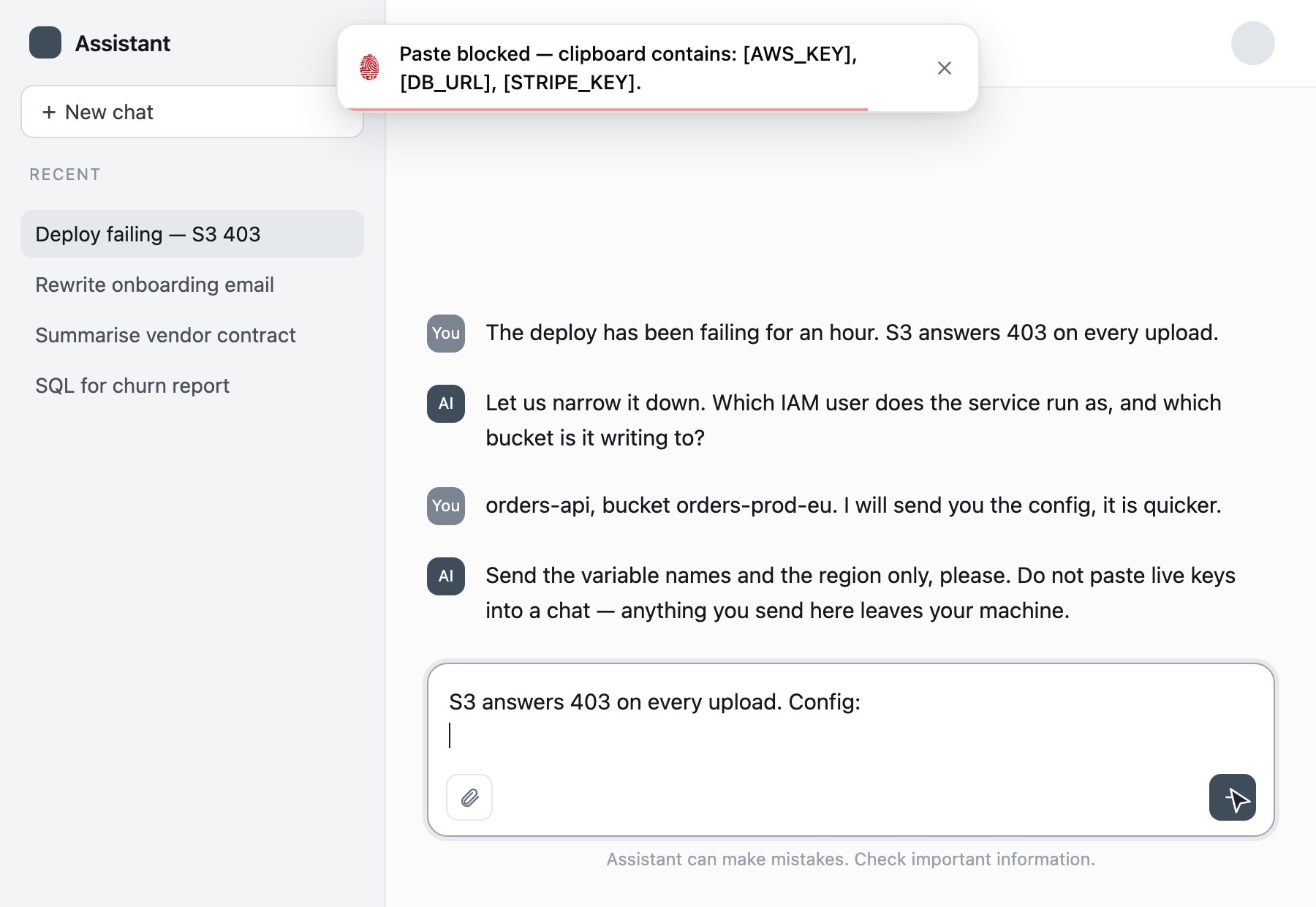
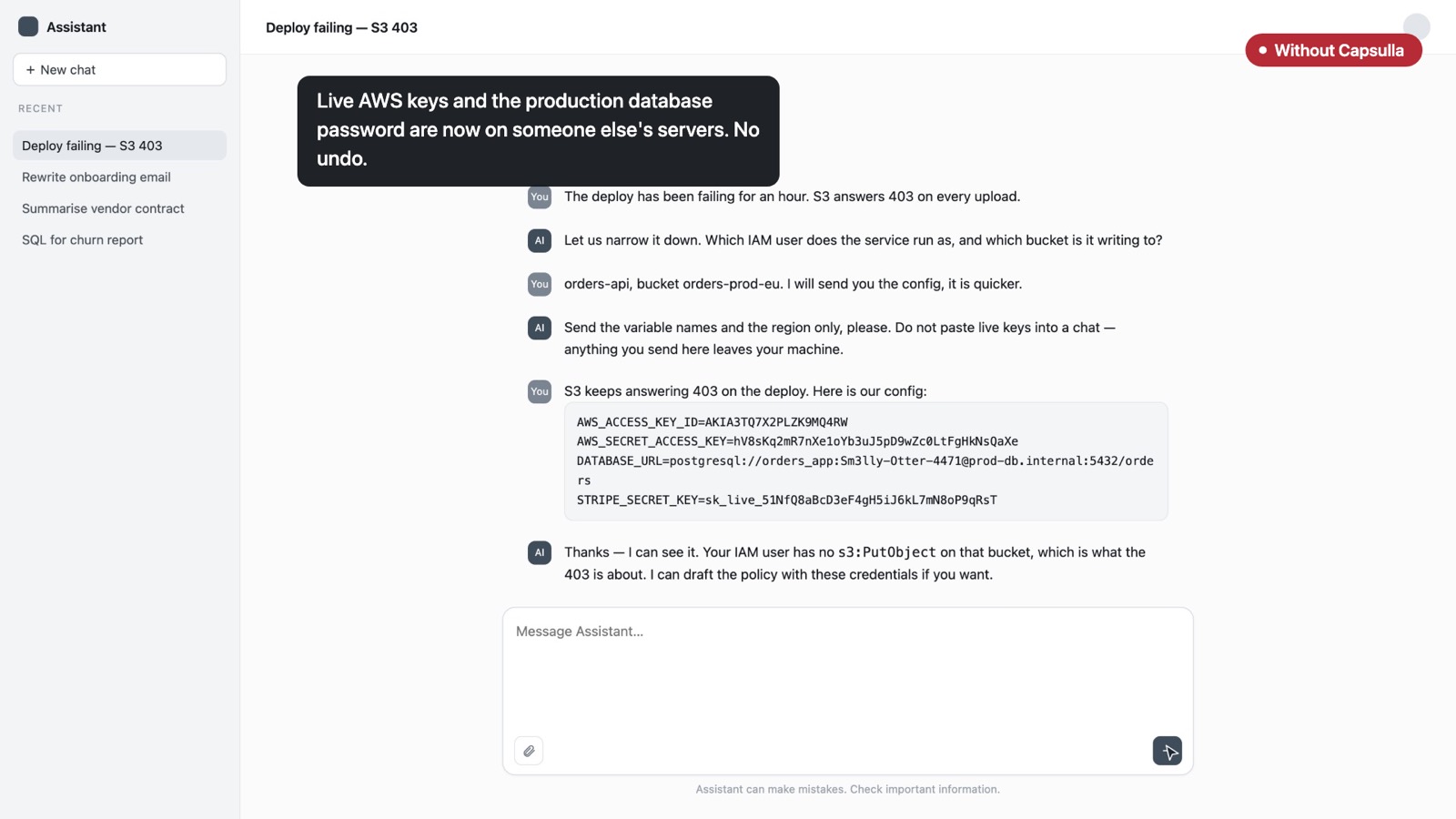
First without Capsulla, then with it.
An engineer pastes production passwords and keys into an AI assistant to fix a failing deploy. Thirty seconds, one take, nothing staged.
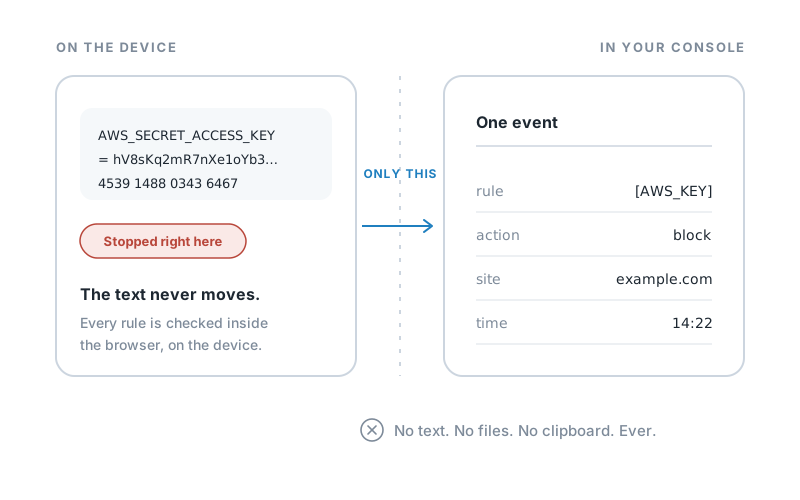
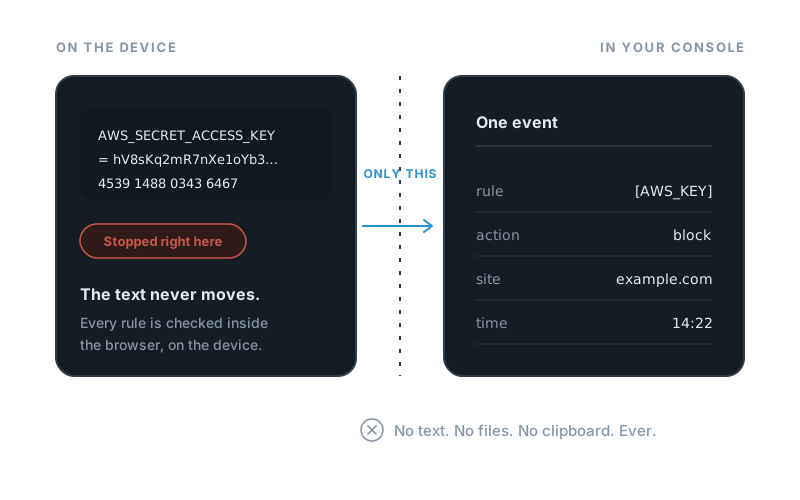
We never see what your team pastes.
Capsulla checks everything inside the browser, on your team's own computers. Your console only learns what happened — which rule fired, what was done, on which site — never the text or the file. There is nothing on our side to leak.
| What your console sees | Recorded |
|---|---|
| Which rule matchedThe label you gave it, never the text it matched | |
| What was done, and whereBlocked, masked or warned, and on which site — not the full link | |
| Whose browser it wasThe person's work account | |
| The file's name, type and sizeFor uploads and downloads | |
| How much of it matchedA count, not the text | |
| The text that matchedStays on the computer — never sent | |
| The file itselfStopped before the upload starts | |
| The clipboardChecked on the computer, never sent |
For Google Workspace companies where security is one person's job.
It fits when
- You run on Google Workspace and your team works in Chrome
- People use ChatGPT and other AI tools every day
- You don't want employees installing anything
- Security sits with an admin or the CTO, not a whole team
It is the wrong tool when
- Your data mostly leaves through desktop apps, phones or code editors
- Your Chrome browsers aren't managed through Google Admin
- You need to scan stored files or outgoing email
$139 a month. The whole company.
One flat price, whether you are 10 people or 500. No per-seat fees, no licenses to count.
- Everyone in your company is covered
- Every feature included: rules, console, audit log, alerts
- 14-day free trial, no card
What admins ask first.
Can employees turn it off?
No — and that is the point of deploying it from Google Admin. A force-installed extension cannot be removed or disabled by the person using the browser. That is Chrome's own behaviour, not something we add on top.
Will it get in people's way?
Only where you decide it should. Masking lets the work continue without the sensitive part, warnings let a person make the call, and your own tools go on the whitelist where nothing is checked at all. Most teams start with everything on warn and tighten from there.
Does it cover anything outside Chrome?
No. Capsulla protects web interfaces in Chrome on managed browsers. Desktop apps, mobile apps and IDE plugins are outside it, and we would rather say so now than let you find out later.
Is there AI reading our data?
No. Detection is patterns, card checksums, file types and domains, and it runs on the device. The AI in the product sits in the console and does one job: you describe what to protect, it drafts the rule for you to approve. It never sees anything your team pastes, types or uploads.
What does the console actually store?
Which rule fired, what was done, on which site, from whose browser, and when. Not the text and not the file — they never leave the device. Events are deleted when the retention window you set runs out.
What about the GDPR?
Your company is the controller and Capsulla is the processor, and the design does most of the work: the personal data in a paste is never collected in the first place. The full picture is on its own page.
Stop the next leak before it leaves the browser.
Try it free for 14 days, no card needed. Start with one team and see what Capsulla catches in the first week.